
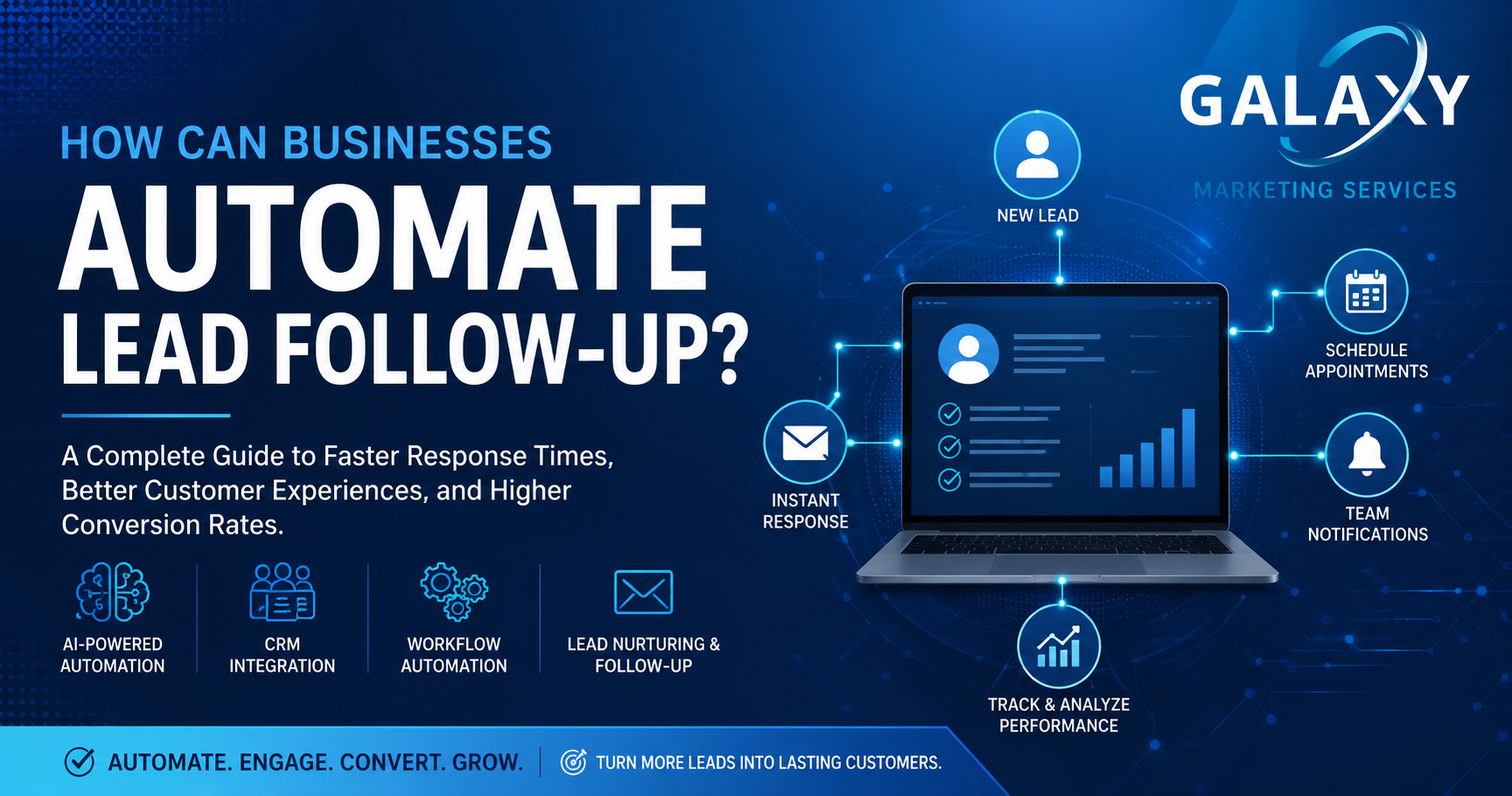
How Can Businesses Automate Lead Follow-Up?
A Complete Guide to Faster Response Times, Better Customer Experiences, and Higher Conversion Rates Through AI and Workflow Automation.
Every new lead represents an opportunity to grow your business. Whether a customer completes a contact form, requests a quote, downloads a resource, schedules a consultation, or calls your office, the way your business responds can determine whether that prospect becomes a customer—or chooses a competitor instead.
Unfortunately, many businesses unintentionally lose qualified leads because of delayed responses, inconsistent follow-up, disconnected software systems, or manual processes that simply cannot keep pace with customer expectations.
Modern workflow automation and artificial intelligence (AI) are changing the way businesses manage customer relationships. Rather than relying on employees to remember every follow-up or manually update multiple systems, automation creates intelligent workflows that respond immediately, nurture prospects over time, and keep sales teams organized.
In this guide, we’ll explain how businesses can automate lead follow-up, why response time matters, the technologies that make automation possible, and how organizations can build scalable systems that improve efficiency while increasing conversions.

Table of Contents
- What Is Automated Lead Follow-Up?
- Why Businesses Lose Leads
- Why Response Time Matters
- Understanding the Customer Journey
- Manual vs. Automated Lead Follow-Up
- What Can Be Automated?
- Connecting Your CRM & Business Systems
- The Role of Artificial Intelligence
- Benefits of Lead Follow-Up Automation
- Industries That Benefit Most
- Best Practices
- Frequently Asked Questions
What Is Automated Lead Follow-Up?
Automated lead follow-up is the process of using software, workflow automation, customer relationship management (CRM) systems, and artificial intelligence to automatically engage prospective customers after they interact with your business.
Instead of relying on employees to manually send emails, assign tasks, update spreadsheets, or remember to call prospects, automated workflows perform these actions immediately based on predefined triggers.
For example, when someone submits a contact form on your website, automation can instantly:
- Create a new contact inside your CRM
- Notify the appropriate salesperson
- Send a personalized confirmation email
- Schedule follow-up reminders
- Add the prospect to an email nurture campaign
- Notify internal teams through Slack or Microsoft Teams
- Generate a task for future follow-up
- Track every customer interaction automatically
Rather than replacing your sales team, automation supports your employees by eliminating repetitive administrative work and ensuring every prospect receives timely communication.
The objective isn’t to remove the human element—it is to ensure every customer receives the right message at the right time while allowing your team to focus on meaningful conversations.
Why Businesses Lose Leads Without Realizing It
Many organizations believe their greatest challenge is generating more leads. In reality, the problem often lies in what happens after a lead has already been generated.
A prospective customer visits your website, submits a request for information, and waits for a response. While your team is busy serving existing customers, that same prospect may contact two or three competitors. The business that responds first often has the greatest opportunity to earn their trust.
Without clearly defined follow-up processes, businesses frequently lose opportunities because information becomes trapped in email inboxes, spreadsheets, or disconnected software systems.
Common Causes of Lost Leads
- Delayed responses to website inquiries
- Missed contact form notifications
- Forgotten follow-up calls
- Manual CRM data entry
- Leads assigned to the wrong employee
- Inconsistent communication between departments
- No visibility into where leads are in the sales process
- Disconnected marketing and sales systems
- Lack of reporting and performance tracking
While each issue may seem minor on its own, together they create friction throughout the customer journey. Workflow automation helps eliminate these bottlenecks by ensuring every lead follows a structured process from initial inquiry through conversion.
Why Response Time Matters
Customer expectations have changed dramatically over the past decade. Consumers and business buyers alike expect quick responses, convenient communication, and personalized experiences. Waiting until the next business day to acknowledge a new inquiry is often too late.
When businesses respond quickly, they demonstrate professionalism, reliability, and attentiveness. Even if a detailed conversation cannot happen immediately, simply acknowledging the inquiry reassures prospective customers that their request has been received and is being addressed.
Automated follow-up makes this possible by sending confirmations, notifying team members, assigning tasks, and initiating lead nurturing campaigns within seconds of a customer taking action.
Speed alone does not close sales—but responding promptly builds trust, improves customer experience, and keeps your business engaged while purchase intent is at its highest.
Why Automation Has Become a Competitive Advantage
Automation is no longer reserved for enterprise organizations with large IT departments. Today’s cloud-based platforms allow businesses of nearly every size to automate repetitive tasks, connect business systems, and improve customer communication without significant infrastructure investments.
Companies that embrace automation often discover benefits that extend well beyond lead follow-up. Employees spend less time performing administrative work, managers gain better visibility into business operations, customers receive faster service, and leadership can make more informed decisions using accurate, real-time data.
Instead of asking whether automation is worth implementing, many organizations are now asking how quickly they can modernize their existing processes before falling behind competitors that already have.
Understanding the Customer Journey
Before businesses can automate lead follow-up, they must first understand how prospective customers interact with their organization. Every lead follows a journey—from discovering your business to becoming a customer—and every stage presents an opportunity to build trust or lose momentum.
While every organization has its own sales process, most customer journeys follow a similar path. The more consistent and connected each stage becomes, the greater the likelihood of converting prospects into long-term customers.

Rather than relying on employees to manually manage each step, automation creates a structured workflow that ensures every customer receives consistent communication throughout the buying process.
Manual vs. Automated Lead Follow-Up
Many businesses still rely on manual processes for managing new inquiries. While these methods may work initially, they often become inefficient as lead volume increases. Automated workflows eliminate repetitive administrative tasks while creating a more consistent customer experience.
| Manual Lead Follow-Up | Automated Lead Follow-Up |
|---|---|
| Employee manually checks email. | Lead captured instantly from website. |
| Customer waits for response. | Confirmation sent immediately. |
| CRM updated manually. | CRM updates automatically. |
| Follow-up depends on memory. | Automatic reminders and task creation. |
| Limited reporting. | Complete tracking and analytics. |
| Higher chance of missed opportunities. | Consistent lead nurturing. |
| Difficult to scale. | Easily scales with business growth. |
Automation doesn’t replace great customer service—it creates the consistency that allows your team to deliver it more effectively.
What Can Businesses Automate?
One of the greatest misconceptions about workflow automation is that it only applies to email marketing. In reality, modern automation platforms can connect virtually every stage of the customer lifecycle.
Website Contact Forms
Every website inquiry can automatically create a new CRM record, notify the appropriate employee, send a confirmation email, and initiate a lead nurturing workflow without requiring any manual data entry.
Quote Requests
Businesses can automatically acknowledge quote requests, collect additional project information, assign sales representatives, and schedule follow-up reminders.
Appointment Scheduling
Scheduling platforms can synchronize with your calendar, allowing customers to reserve appointments while automatically sending confirmations, reminders, and follow-up communications.
Email Nurturing
Educational email campaigns help keep your business top of mind by delivering valuable content over time, particularly for prospects who are not yet ready to make a purchasing decision.
SMS Notifications
Text message automation provides immediate communication for appointment confirmations, reminders, project updates, and customer notifications.
Internal Notifications
Employees can receive alerts through email, Microsoft Teams, Slack, or mobile applications whenever a new lead is received, ensuring rapid response regardless of location.
Connecting Your CRM & Business Systems
Automation becomes significantly more valuable when multiple business systems work together. Rather than requiring employees to transfer information between disconnected platforms, integrations allow software to communicate automatically.
For example, a single contact form submission can trigger multiple actions simultaneously:
- Create a new CRM contact
- Notify the sales team
- Send a personalized confirmation email
- Create a follow-up task
- Schedule an appointment invitation
- Add the contact to an email campaign
- Update internal dashboards
- Log activity for future reporting
Instead of maintaining separate spreadsheets, inboxes, and databases, businesses gain one connected ecosystem where information flows automatically between systems.
Popular CRM Platforms
- HubSpot
- Salesforce
- Microsoft Dynamics 365
- Pipedrive
- Zoho CRM
- GoHighLevel
- Monday.com
- ClickUp
Most modern CRM platforms can integrate with website forms, scheduling software, accounting systems, email marketing platforms, AI assistants, and thousands of additional business applications.
How Artificial Intelligence Improves Lead Follow-Up
Traditional automation follows predefined rules. Artificial intelligence (AI) builds upon these workflows by analyzing customer behavior, recognizing patterns, and helping businesses make better decisions.
Instead of simply sending automated emails, AI can evaluate how customers interact with your business and recommend the most appropriate next action.
Lead Qualification
AI can evaluate incoming leads using factors such as company size, industry, location, engagement history, and website activity to prioritize opportunities with the greatest likelihood of conversion.
Conversation Summaries
AI can summarize emails, phone calls, live chat conversations, and meeting notes, giving employees immediate context before following up with a prospect.
Personalized Communication
Rather than sending identical messages to every prospect, AI can personalize communication using customer information, previous interactions, and behavioral data.
Predictive Insights
Machine learning can identify trends within customer behavior, helping businesses understand which leads are most likely to convert, which marketing campaigns perform best, and where improvements should be made.
AI doesn’t replace your sales team—it equips them with better information, reduces administrative work, and helps ensure every opportunity receives timely attention.
The Benefits of Automated Lead Follow-Up
Automating lead follow-up is about more than saving time. It creates a more efficient, consistent, and scalable process that improves both the customer experience and internal operations. By reducing manual tasks and ensuring every inquiry receives timely attention, businesses can focus on building relationships instead of managing repetitive administrative work.
Faster Response Times
One of the greatest advantages of automation is speed. Customers expect prompt responses, and automated workflows allow businesses to acknowledge inquiries immediately while notifying the appropriate team members. Even if a detailed conversation occurs later, an immediate response demonstrates professionalism and builds confidence.
Higher Lead Conversion Rates
Consistent follow-up increases the likelihood of converting inquiries into customers. Automated reminders, email nurturing campaigns, and scheduled follow-ups help keep your business top of mind throughout the buying process.
Improved Customer Experience
Customers appreciate timely communication. Automation ensures they receive confirmations, updates, reminders, and helpful information without unnecessary delays, creating a smoother and more professional experience.
Greater Team Productivity
Instead of spending valuable time entering data, sending repetitive emails, or creating follow-up reminders, employees can focus on consultations, relationship building, and closing new business.
Better Visibility Into Your Sales Pipeline
Every customer interaction is automatically documented within your CRM, providing leadership with greater insight into lead sources, conversion rates, sales activity, and opportunities for improvement.
Businesses that automate lead follow-up don’t simply work faster—they create more predictable, measurable, and scalable sales processes.
Industries That Benefit From Lead Follow-Up Automation
Although every organization has unique workflows, nearly every business that depends on inquiries, appointments, or consultations can benefit from workflow automation. Below are just a few examples.
Professional Services
Consulting firms, accountants, architects, engineering companies, and marketing agencies can automate proposal requests, consultation scheduling, CRM updates, and client onboarding.
Healthcare Providers
Medical practices, dental offices, home healthcare providers, and hospice organizations can streamline appointment requests, patient inquiries, reminder notifications, intake forms, and follow-up communications.
Law Firms
Legal practices can automatically respond to consultation requests, assign new matters to attorneys, collect intake information, and nurture prospective clients throughout the decision-making process.
Contractors & Home Services
Roofing companies, HVAC contractors, plumbers, electricians, landscapers, and locksmiths can automate quote requests, dispatch notifications, appointment confirmations, and review requests after project completion.
Manufacturing & Technology
Manufacturers and technology companies often receive RFQs, distributor inquiries, partnership requests, and technical support requests that can be routed automatically to the appropriate department.
Measuring the Success of Your Automation Strategy
Implementing automation is only the first step. The most successful businesses continually monitor performance and refine workflows based on real customer behavior.
Some of the most important metrics to monitor include:
- Average lead response time
- Lead-to-customer conversion rate
- Website form completion rate
- Email open and click-through rates
- Appointment booking rate
- Sales cycle length
- Customer acquisition cost (CAC)
- Customer lifetime value (CLV)
- Revenue generated from automated campaigns
Monitoring these key performance indicators helps businesses identify bottlenecks, improve customer engagement, and continuously optimize their sales process.
Common Mistakes Businesses Make
While automation offers tremendous benefits, poorly designed workflows can create frustration for both customers and employees. Successful automation focuses on enhancing the customer experience—not replacing meaningful human interaction.
- Waiting too long before responding to new inquiries.
- Sending generic messages without personalization.
- Building overly complex workflows that are difficult to maintain.
- Failing to notify employees when personal follow-up is required.
- Ignoring CRM data quality.
- Never reviewing workflow performance.
- Automating every interaction without considering customer expectations.
The best automation strategies combine intelligent technology with authentic human communication. Automation should support your team—not replace it.
Best Practices for Lead Follow-Up Automation
Every business is different, but the most effective automation strategies share several common characteristics.
- Respond immediately to every inquiry.
- Personalize communication whenever possible.
- Use automation to assist—not replace—your sales team.
- Integrate your CRM, website, and marketing platforms.
- Track every customer interaction.
- Regularly review analytics and optimize workflows.
- Continue nurturing leads that are not yet ready to buy.
- Provide clear opportunities for prospects to speak with a real person.
The most successful businesses treat automation as an extension of their customer service—not a replacement for it.
The Future of AI & Business Automation
Lead follow-up is evolving far beyond simple autoresponders. Modern artificial intelligence can summarize conversations, prioritize opportunities, recommend next actions, analyze customer sentiment, and generate personalized communications in seconds.
As CRM platforms become increasingly intelligent, businesses will gain access to predictive insights that help identify high-value opportunities, improve customer retention, and streamline internal operations.
Organizations that invest in connected systems today will be better positioned to scale efficiently, improve customer experiences, and remain competitive as AI continues to transform the way businesses operate.
How Galaxy Marketing Services Helps Businesses Automate Lead Follow-Up
At Galaxy Marketing Services, we help businesses eliminate repetitive manual processes by designing intelligent automation systems that improve customer communication, increase operational efficiency, and support long-term growth.
Rather than implementing generic automation templates, we take the time to understand your existing workflows, customer journey, software stack, and business objectives. From there, we develop customized automation solutions that integrate seamlessly with your existing systems while reducing manual work and improving the customer experience.
Our automation services include CRM integrations, website lead capture, AI-powered workflows, marketing automation, appointment scheduling, reporting dashboards, customer nurturing, internal notifications, API integrations, and business process optimization.
Whether you’re receiving ten leads per month or several hundred, automation helps ensure every opportunity receives prompt attention while giving your team more time to focus on serving customers and growing the business.
Automation Services
- AI Workflow Automation
- CRM Integrations
- Lead Capture Automation
- Email Marketing Automation
- SMS Automation
- Appointment Scheduling
- API Integrations
- Business Process Automation
- Reporting & Analytics
- Custom AI Solutions
Common Integrations
- HubSpot
- Salesforce
- Microsoft Dynamics
- GoHighLevel
- Mailchimp
- Google Workspace
- Microsoft 365
- Slack
- Calendly
- WordPress
Ready to Automate Your Lead Follow-Up?
If your business is spending valuable time manually responding to inquiries, updating CRMs, or tracking follow-up tasks, workflow automation can help. Galaxy Marketing Services designs intelligent automation systems that improve response times, reduce repetitive work, and help businesses convert more leads into customers.
Frequently Asked Questions
What is automated lead follow-up?
Automated lead follow-up uses software, workflows, and artificial intelligence to automatically respond to customer inquiries, assign leads, update CRMs, and nurture prospects without requiring manual intervention for every step.
Can small businesses automate lead follow-up?
Yes. Businesses of all sizes can benefit from automation. Even organizations receiving only a handful of inquiries each week can improve response times, customer service, and operational efficiency through simple automated workflows.
Will automation replace my sales team?
No. Automation supports your sales team by handling repetitive administrative tasks while allowing employees to focus on consultations, relationship building, and closing business.
What software is commonly used for lead automation?
Popular solutions include HubSpot, Salesforce, Microsoft Dynamics 365, GoHighLevel, Zoho CRM, Pipedrive, Mailchimp, ActiveCampaign, and other CRM or marketing automation platforms. Many businesses also integrate these systems with custom workflow automation tools.
Can AI personalize customer communication?
Yes. AI can personalize emails, summarize conversations, prioritize leads, recommend follow-up actions, and generate responses based on customer behavior and previous interactions.
How long does it take to implement workflow automation?
The implementation timeline depends on the complexity of your existing systems and business processes. Simple workflows may be completed in a matter of days, while larger automation projects involving multiple software integrations typically require several weeks.
How do I know if my business is ready for automation?
If your team spends time manually responding to inquiries, updating spreadsheets, entering CRM data, assigning tasks, or following up with prospects, automation can help streamline these processes and improve efficiency.